Skip to content

AI AUTOMATION

Put the repetitivework on autopilot.

We design AI assistants, agents, and automations that help your team respond faster, qualify opportunities, and move work forward without adding more manual tasks.

// THE PROBLEM

Where this helps.

Today · manual

  • Leads waiting too long for a response.
  • Teams copying information between forms, email, spreadsheets, and CRM.
  • Customer questions being answered repeatedly.
  • Follow-ups being forgotten or handled inconsistently.
  • Employees spending time on work software could handle.

What better looks like

  1. Faster response.
  2. Fewer repetitive tasks.
  3. Cleaner handoffs.
  4. More consistent follow-up.
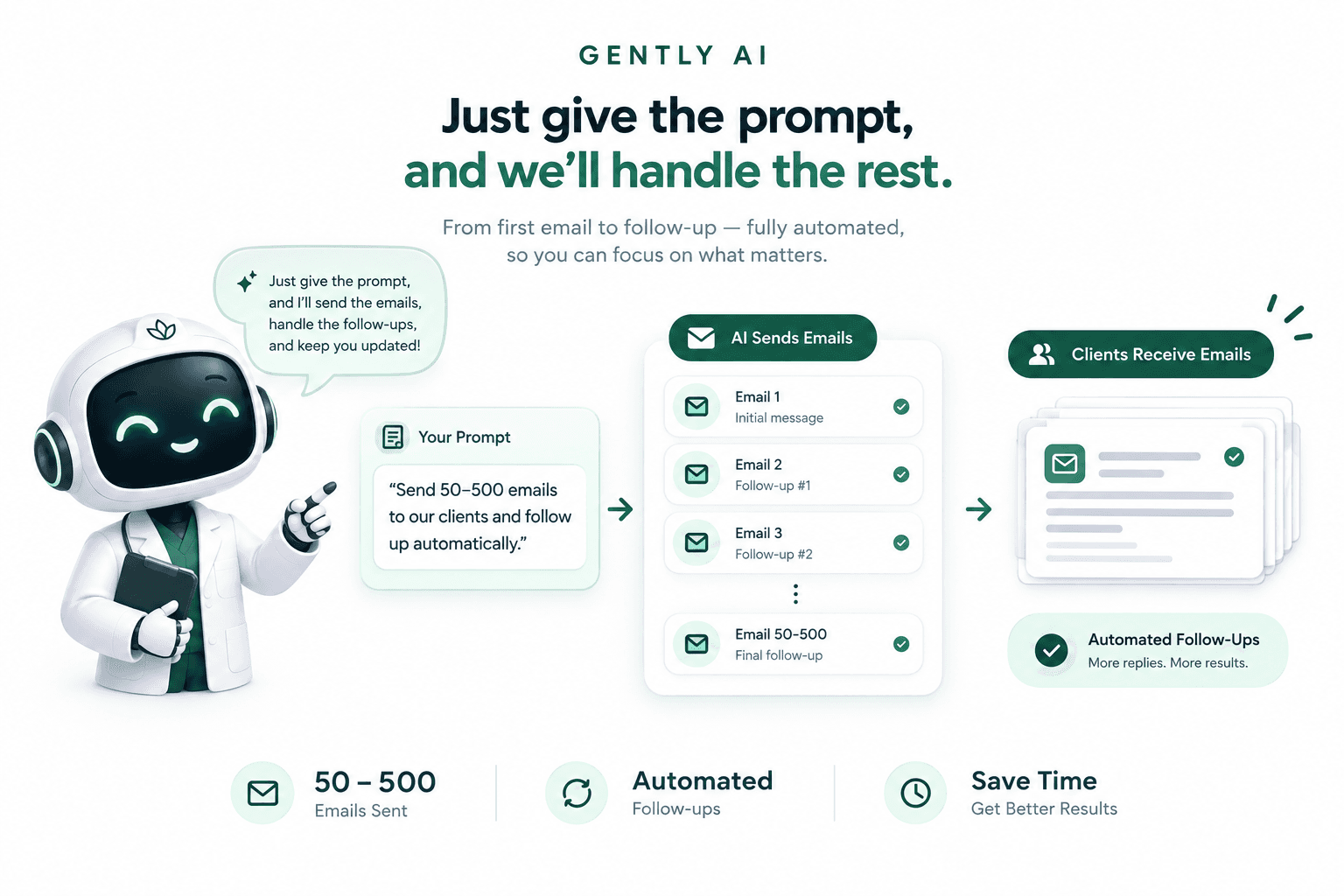
An email automation flow: a short prompt becomes personalized emails that are drafted and sent to a list of contacts.

Follow-ups in practice

One prompt in, personalized emails out.

The team writes what they want to say once. The system drafts a personal version for each contact, sends on schedule and stops following up when someone replies.

  1. Prompt
  2. Draft
  3. Personalize
  4. Send

// WHAT WE DO

Built around your business.

How we build it →
AI AgentsSystems that can perform defined tasks and take actions.

// AI AGENTS

Agents with a job description.

Not a chatbot that talks about everything. Each agent has one role, a short list of tools it may use, and a clear rule for when a person takes over.

agent / sales

Sales Agent

Qualifies inbound leads and routes opportunities.

Wakes up on

  • Website form
  • Ad lead form
  • Inbound email

Then it

  • Scores fit and intent
  • Answers first questions
  • Books the call on your calendar

Hands off to your team whenA qualified lead is ready for a conversation.

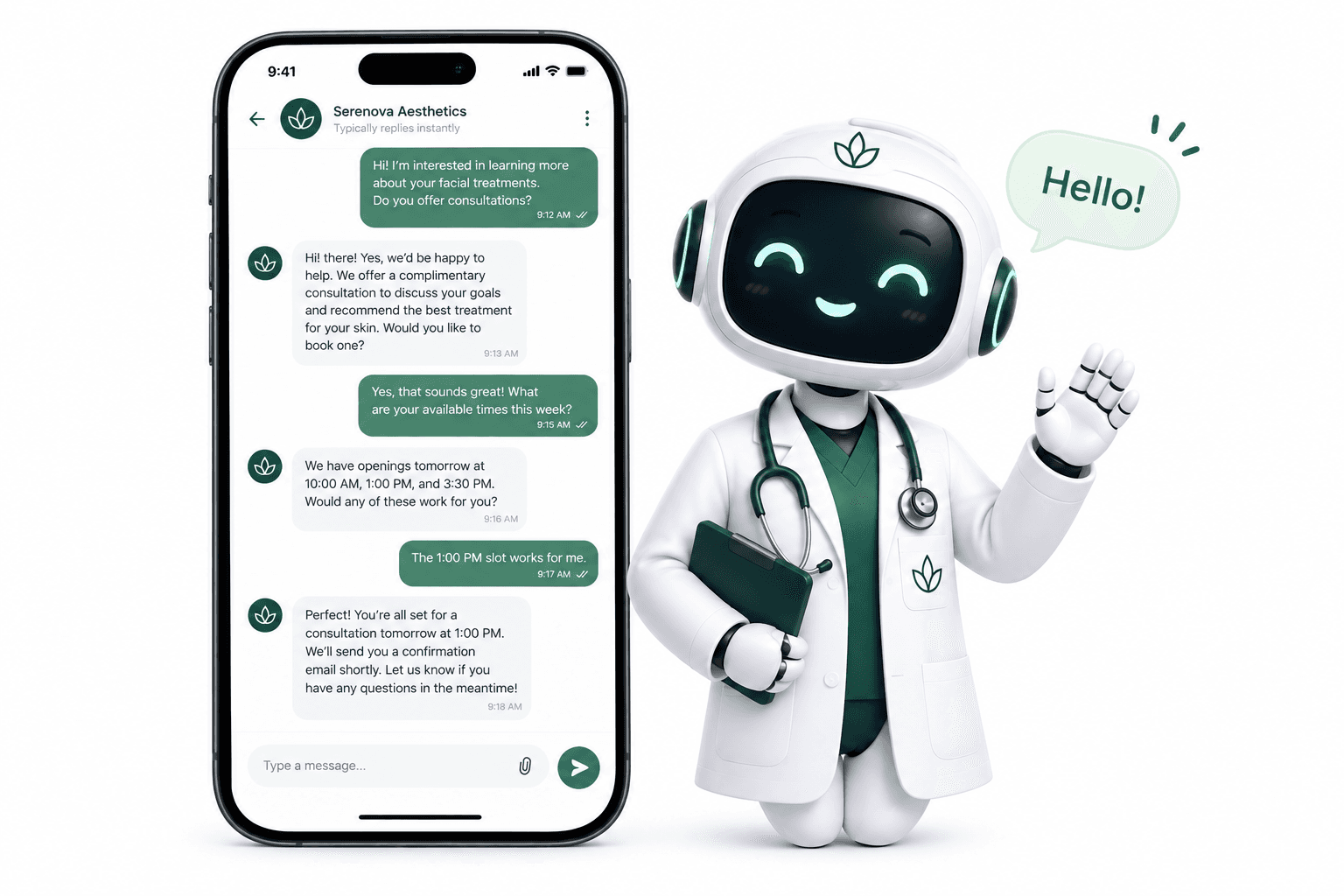
A clinic's website chat assistant answering a patient and booking an appointment, beside the clinic's friendly assistant character.

Support agent in practice

A clinic assistant that answers and books.

Patients ask about treatments, prices and availability in chat. The agent answers from the clinic's own information, offers open slots and books the visit, and staff see it in their calendar.

  1. Question
  2. Answer
  3. Booking
  4. Calendar

// WHAT WE AUTOMATE

Watch the work move without anyone pushing it.

Three workflows we build often. Each one starts with something that already happens in your business and ends with your team only stepping in where they add value.

TRIGGERA lead fills in your website or ad form

Step 1 of 6

Lead comes in

Name, company and what they need, captured the second they submit.

// INTEGRATIONS

Your tools, finally talking to each other.

We connect the systems you already run: CRM, email, forms, databases, APIs, AI models, Slack or Teams, calendars and websites. Everything passes through one layer that is logged and approved.

IN

  • Websites
  • Forms
  • Email
  • Calendars

AUTOMATION LAYER

Decides what happens next

  • AI
  • Rules
  • Queue
  • Approvals
  • Logs

OUT

  • CRM
  • Databases
  • Slack / Teams
  • APIs

Categories, not endorsements. We work with the tools you choose and have no partnership with any vendor shown here.

// CONTROL

Automate the work.
Keep humans in control.

  1. Human approval where neededAnything sensitive, costly or customer-facing can wait for a yes.
  2. Reliable workflowsRetries, alerts and logs, so a failed step is caught, not silently lost.
  3. Connected systemsBuilt on the tools you already run, not a new platform to learn.
  4. Clear handoffsWhen the system stops, a person gets the full context, not a mystery.
  5. Scalable processesThe same workflow handles ten requests or ten thousand.
rule / refund-reply
  1. Customer asks for a refundsupport inbox
  2. AI drafts the reply and checks the orderorder found · within policy
  3. Approval gateawaiting review
  4. Reply sent to customeron hold

Waiting for a person to approve before anything is sent.

// AUTOMATE A PROCESS

Tell us what you are trying to improve.

Pick anything that sounds familiar
Automate a Process →

We’ll help define the right next step.